


Best Ecommerce Platforms for Beginners: 5 Options Compared


Starting an online store can feel overwhelming, especially when you're choosing between ecommerce platforms that promise to make selling easier. Some offer an all-in-one solution with hosting, payment processing, and store management built in, while others give you more control over how your website works but require additional setup.
The good news is that you don't need an advanced technical background to launch an online store. Platforms such as Shopify, Wix, Squarespace, WooCommerce, and BigCommerce provide different ways to build and manage an ecommerce business.
But which one is right for a beginner?
In this guide, we'll compare five of the best ecommerce platforms for beginners, looking at ease of use, store-building features, customization, pricing considerations, and room to grow. By the end, you'll have a clearer idea of which platform suits your needs and what to consider before investing in one.
Best Ecommerce Platforms for Beginners at a Glance
Platform | Best For | Main Advantage | Potential Drawback |
Shopify | Beginners focused on online selling | All-in-one ecommerce solution | Monthly subscription and additional costs |
Wix | Small businesses and first-time website builders | Easy drag-and-drop editor | Less focused on advanced ecommerce needs |
Squarespace | Creative businesses and design-focused brands | Professional templates | More limited ecommerce flexibility for complex stores |
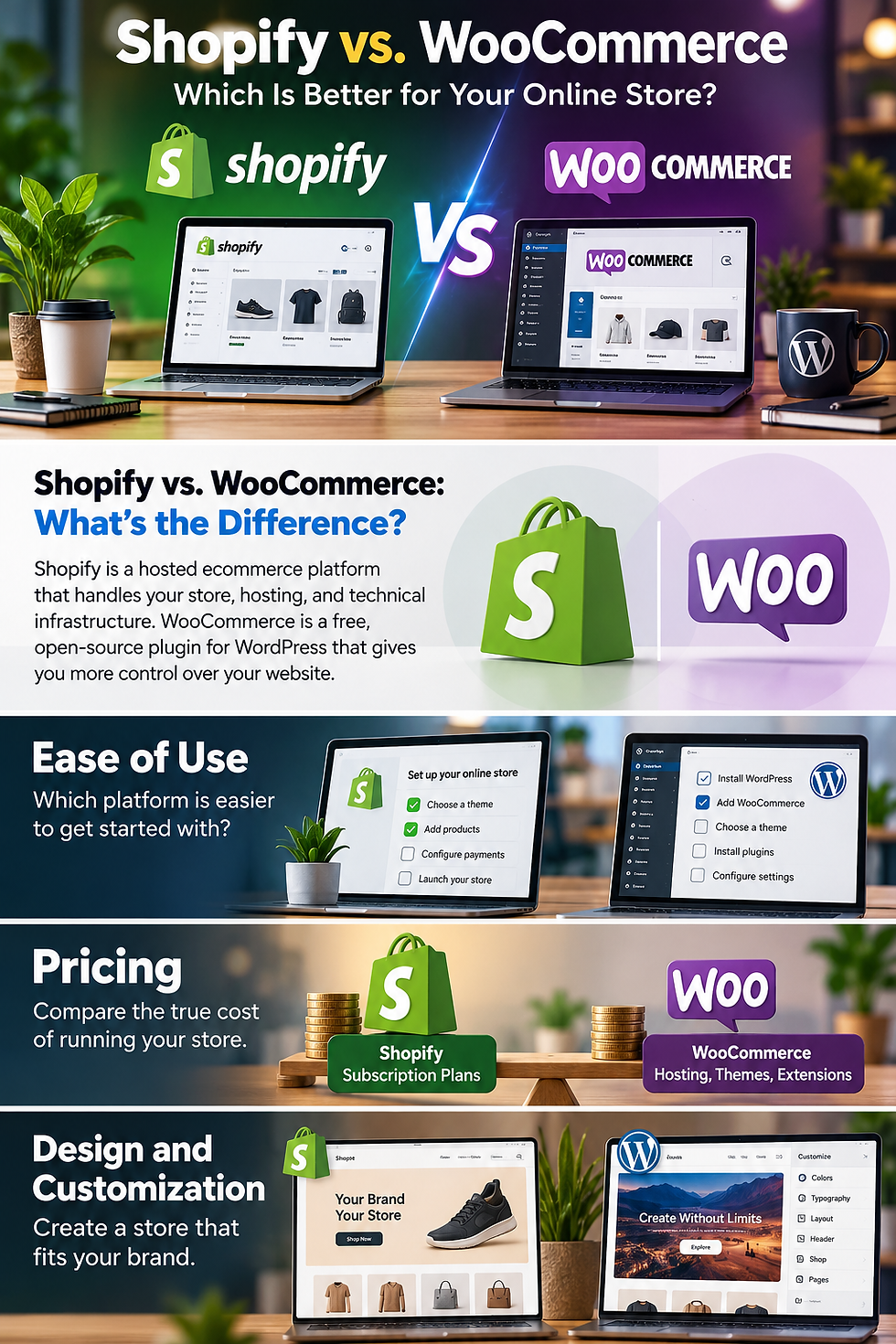
WooCommerce | WordPress users who want control | Flexible and customizable | Hosting and maintenance require more involvement |
BigCommerce | Businesses planning to expand | Strong built-in ecommerce features | Can feel more complex for complete beginners |
1. Shopify – Best Overall Ecommerce Platform for Beginners

Shopify is designed specifically for ecommerce, making it a strong choice for anyone whose main objective is to build and operate an online store. Rather than assembling different services to get started, you can manage products, orders, payments, inventory, and store design through one platform.
Its hosted infrastructure also means you don't need to arrange separate web hosting or manage a WordPress installation. Beginners can choose a theme, add products, configure their store settings, and prepare their checkout without building everything from scratch.
What makes Shopify beginner-friendly?
Easy store setup: Start with a ready-made theme and customize your storefront.
Product management: Add products, images, descriptions, prices, and inventory information.
Integrated selling tools: Manage orders, payments, shipping, and other ecommerce activities.
App ecosystem: Add marketing, customer support, reviews, and other features through apps.
Room to grow: Access additional tools and plans as your business develops.
What should beginners consider?
Shopify requires a paid subscription for a full online store, and the total cost can increase with premium themes, paid apps, and payment processing fees. You should also check which payment providers are available in your country before choosing a plan.
Shopify is particularly suitable for people who want to concentrate on selling products rather than managing the technical side of a website.
If you're considering this platform, take a look at our detailed [Shopify Review: Is It the Right Platform to Build Your Online Store?] to explore its features, advantages, disadvantages, and costs in more detail.
2. Wix – Best for Beginners Who Want an Easy Website Builder

Wix is a popular website builder that also provides ecommerce features, making it suitable for beginners who want to create a website and sell products from the same place.
Its drag-and-drop editor gives users considerable freedom when arranging website sections, images, text, and product displays. This can be particularly useful for small businesses that want their online store to sit alongside service pages, portfolios, blogs, or other website content.
What makes Wix beginner-friendly?
Visual website editor: Build and customize pages without coding.
Ready-made templates: Choose a design and adapt it to your brand.
Built-in website tools: Manage hosting, website content, and store features in one place.
Business features: Access product management, order handling, and payment options through eligible plans.
What should beginners consider?
Wix is a good choice for smaller stores, but businesses with more complex ecommerce requirements may eventually need more specialized selling tools. You should also consider the features included in each plan, since a free website plan does not necessarily include the ability to accept online payments.
Wix is worth considering if building an attractive website is just as important as selling products.
3. Squarespace – Best for Design-Focused Online Stores

Squarespace is particularly appealing to beginners who want a professional-looking website without spending too much time designing everything themselves.
Its templates are known for clean layouts and strong visual presentation, making the platform a natural option for creative businesses, independent brands, artists, and businesses selling products where presentation matters.
Squarespace combines website building and ecommerce features, allowing users to create product pages, manage orders, and present their brand through a consistent design.
What makes Squarespace beginner-friendly?
Professional templates: Start with polished designs and customize them for your business.
Visual editing: Adjust page layouts, images, typography, and other design elements.
Website and store management: Keep your content and products within one platform.
Content features: Combine blogging, product pages, and brand storytelling.
What should beginners consider?
Squarespace may not be the best fit for businesses that need extensive ecommerce customization, complicated product catalogs, or a large collection of specialized integrations. Its features and selling options also depend on the selected subscription plan.
If your priority is creating a visually impressive online store with a relatively straightforward setup, Squarespace deserves consideration.
4. WooCommerce – Best for Beginners Who Want More Control

WooCommerce takes a different approach from hosted ecommerce platforms. It is an open-source ecommerce plugin for WordPress that turns a WordPress website into an online store.
The core WooCommerce plugin is free, which can make it attractive to people who already have a WordPress website or want greater control over their store. However, you'll need to arrange hosting and a domain, and you may need additional themes, plugins, or extensions to get the features you want.
What makes WooCommerce appealing?
Flexible customization: Adapt your store using WordPress themes, plugins, and custom development.
Content management: Combine ecommerce with WordPress blogging and publishing tools.
Large plugin ecosystem: Add SEO, marketing, payment, shipping, and other features.
Control over hosting: Choose your own hosting provider and website setup.
No core platform subscription: The main WooCommerce plugin is available without a monthly platform fee.
What should beginners consider?
WooCommerce requires more responsibility than a fully hosted platform. You'll need to manage hosting, updates, backups, security, plugin compatibility, and website performance.
Although the software itself is free, running a professional store is not necessarily free. Hosting, premium extensions, themes, and maintenance can add to the overall cost.
WooCommerce is a strong option for beginners who are comfortable learning WordPress or who want more control over their website. However, if you want the simplest route to launching an online store, a hosted platform may be easier.
5. BigCommerce – Best for Beginners Planning to Scale

BigCommerce is an ecommerce-focused platform designed to support businesses as they grow. It provides a range of built-in selling features, which can reduce the need to rely on multiple third-party applications.
The platform offers product management, payment integrations, storefront customization, and other ecommerce tools. Its feature set can be appealing to businesses that expect to manage larger product catalogs or more advanced selling requirements.
What makes BigCommerce worth considering?
Built-in ecommerce features: Access a broad range of selling tools within the platform.
Product management: Organize and manage products and catalogs.
Payment integrations: Connect compatible payment providers.
Growth potential: Choose plans and features suited to a developing business.
Business integrations: Connect with other tools and services as your needs change.
What should beginners consider?
BigCommerce may feel more involved than simpler website builders, particularly for someone launching their first online store. Its plans also have sales thresholds and other conditions that beginners should understand before committing.
For someone who expects to build a larger ecommerce business, BigCommerce is worth comparing with Shopify. For a first-time seller who wants a straightforward setup, however, Shopify or Wix may feel more approachable.
How to Choose the Best Ecommerce Platform as a Beginner
Choosing a platform isn't simply about finding the cheapest subscription or the one with the most features. It's about finding a solution that matches the way you want to run your business.
Here are five important things to consider before making a decision.
1. Ease of Use
If this is your first online store, look for a platform that makes it easy to add products, customize pages, manage orders, and configure payments.
Shopify and Wix are strong starting points for people who want a relatively straightforward setup. WooCommerce offers more flexibility but requires additional configuration.
2. Total Cost of Running Your Store
Don't compare platforms using subscription prices alone.
Consider the cost of hosting, domain registration, premium themes, paid applications, payment processing, transaction fees, and any additional services you'll need.
A platform with a low starting price may become more expensive once you add the tools required to operate your business.
3. Payment Options
Before choosing a platform, check whether its supported payment providers are available in your country.
This is particularly important because payment availability, processing rates, and additional fees can vary depending on your location and provider.
A platform may offer excellent ecommerce features, but it won't be suitable if you cannot easily accept payments from your customers.
4. Customization and Features
Think about the type of store you want to build.
A small store selling a limited number of products may not need advanced inventory management or complicated integrations. A business planning to expand may eventually need more control over its catalog, marketing, shipping, and sales channels.
Choose a platform that meets your current needs without making future growth unnecessarily difficult.
5. Room to Grow
Moving an online store to another platform later can involve transferring products, customer information, website content, and order records.
Although switching is possible, it can take time and may require technical assistance.
It's worth considering your longer-term plans before committing to a platform, especially if you expect your product range and customer base to expand.
Which Ecommerce Platform Should Beginners Choose?
There isn't one perfect platform for every beginner. Each option has its own strengths, and the best choice depends on what you want to achieve.
Here's a quick recommendation based on different needs:
Choose Shopify if your main goal is building an online store with dedicated ecommerce tools, straightforward management, and room to grow.
Choose Wix if you want an easy website builder with ecommerce features for a small business.
Choose Squarespace if professional design and visual presentation are your priorities.
Choose WooCommerce if you want the flexibility of WordPress and are comfortable managing hosting and maintenance.
Choose BigCommerce if you're planning a growing store and want a platform with a broad range of built-in ecommerce features.
For most beginners whose primary goal is to sell products online, Shopify is a particularly strong starting point. It brings the main parts of running an online store together, allowing you to focus more on products, customers, and marketing.
If Shopify is on your shortlist, our [Shopify Review: Is It the Right Platform to Build Your Online Store?] takes a closer look at what the platform offers, its potential drawbacks, and whether it's worth the investment.
Final Thoughts
Choosing the right ecommerce platform is one of the first important decisions you'll make when starting an online business. The platform you select will influence how you manage products, process payments, customize your website, and grow your store over time.
Shopify, Wix, Squarespace, WooCommerce, and BigCommerce all offer useful solutions, but they serve different types of businesses. Take the time to compare their features, understand their costs, and consider how much technical work you're prepared to handle.
The best platform isn't necessarily the one with the most features. It's the one that helps you launch confidently, manage your store efficiently, and build a business that can grow with you.
Affiliate Disclosure: This article may contain affiliate links. If you purchase or sign up through qualifying links, we may earn a commission at no additional cost to you. Our recommendations are intended to help readers compare ecommerce platforms and make informed decisions.

Comments